
You need Stock permission to export to Xero. If you don't have access to this module, ask someone with Manager permissions to update your user permissions.
You will also need to have a Xero log in for your organisation.
You need to be able to navigate the orders by suppliers page and have marked invoices as received in order to export invoices to Xero.
You may want to enter and reconcile your statements prior to exporting to Xero.
The address country set when you create your company in Loaded will dictate the Tax Types assigned in Xero from the Loaded Purchase Order export.
To access, head to Stock → Reports → Orders by Supplier (use Received Invoices if you're using AI Invoice Processing).
Once you have selected your desired time period, click Export to Accounting System.

Select which orders you'd like to export by clicking the tick-box beside the desired supplier.
Under Combine, click the export option you'd like to use. Choose the combined option for one entry in Xero with the total owed to the supplier, or the individual option to export invoices separately.
Then click Next.
Click Connect to Xero.
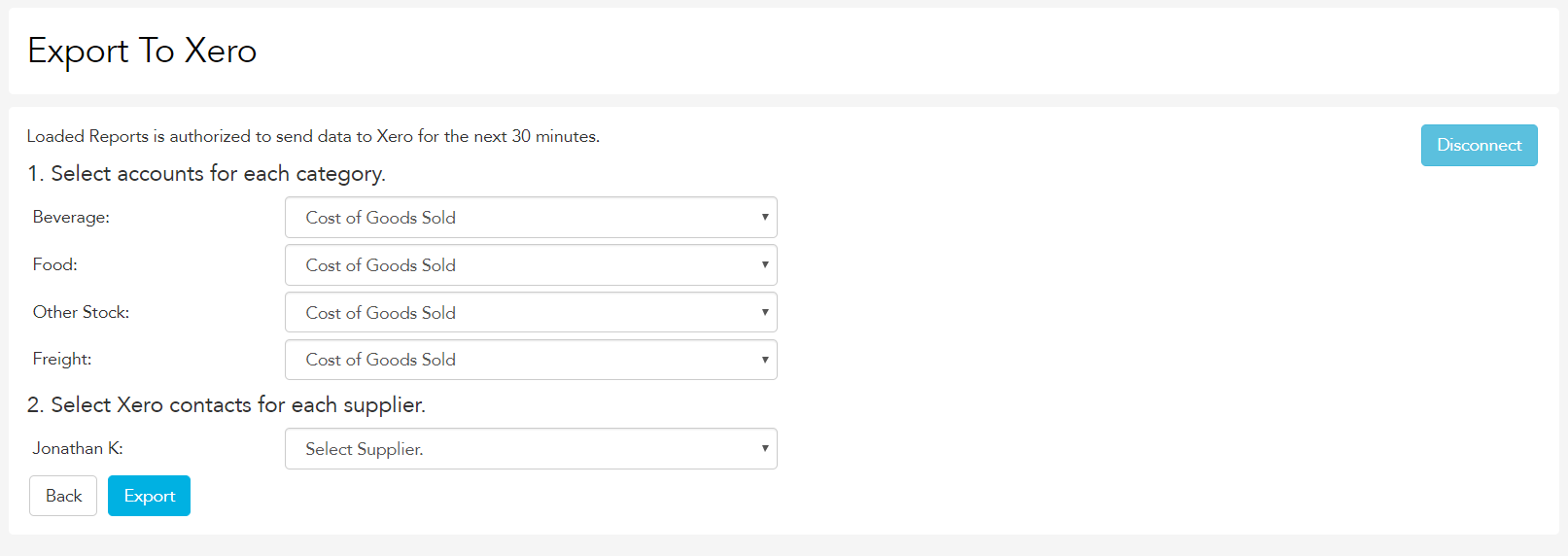
Select the relevant account codes for food, beverage, freight and other purchases, and select the relevant Xero contact for each supplier you export to. For more on correct supplier set up in Xero, click here.
Go back to the Orders by Supplier report, click Export To Accounting System, then expand the relevant supplier and click Exported, View in Xero to see the purchase orders in Xero.

Congratulations, you have successfully exported to Xero.