
🔐 What You’ll Need
You need to be the current owner of a company in order to transfer ownership. If this is not you then you will need to ask the owner to login and do this.
The person you are wanting to transfer ownership to needs to be added as a user to the company prior to ownership transfer. Find out how to add a user here.
Transfer Ownership
Click the person icon in the top right-hand corner
Click Manage users and scroll to the bottom of the page
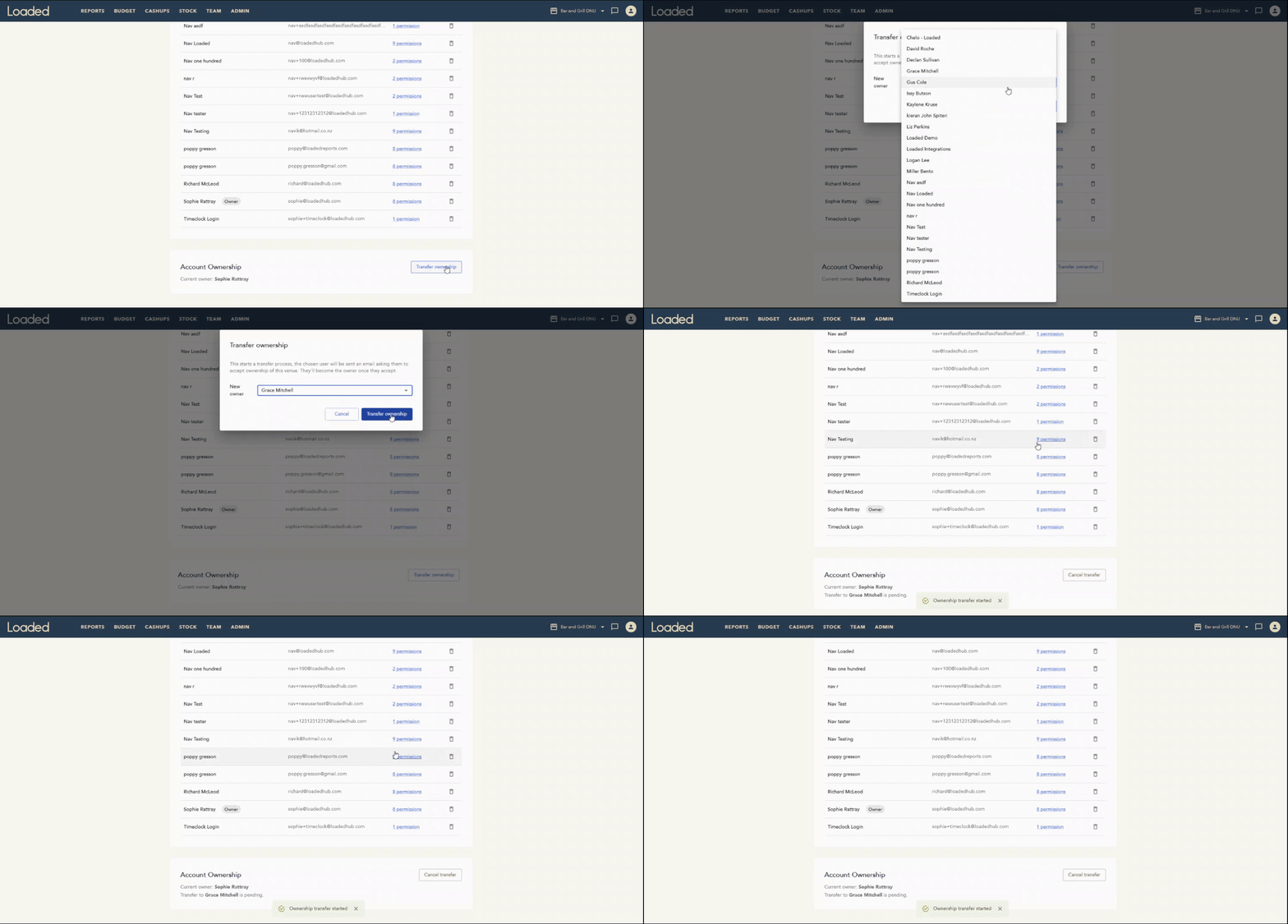
Under Account Ownership, click Transfer Ownership
In the pop-up box, select from the dropdown list the name of the person you’d like to transfer ownership to
This will send an email invite to the new owner, once they accept, the ownership will transfer from your account to theirs. The invite is valid for seven days.
After accepting ownership the new owner will have seven days to set up the subscription for the company. They can set up their subscription by following the instructions here.