
🔐 What You’ll Need
You must be the owner of the site to subscribe to Loaded and enter the billing information.
If you are the owner of more than one site all of your sites will have a common expiry date and be charged together on the same invoice each month.
If you wish to keep the subscription of each site separate then you will need to have a separate owner for each site in Loaded and the owner of each site will need to subscribe to each site individually.
If you ever add or cancel a site as part of your subscription, Loaded will automatically pro rata the payment due for a part month or a part year.
If you ever wish to cancel one or more sites on your subscription please use the contact support link in your Loaded portal to notify us.
View Subscription Details
Click the person icon in the top right-hand corner
Click My billing
Don’t see ‘My billing’? You may not be the owner of the account. To check, click the person icon then Manage users and find the persons name that has the grey Owner icon tag
Click Choose Frequency to select monthly or annual payments
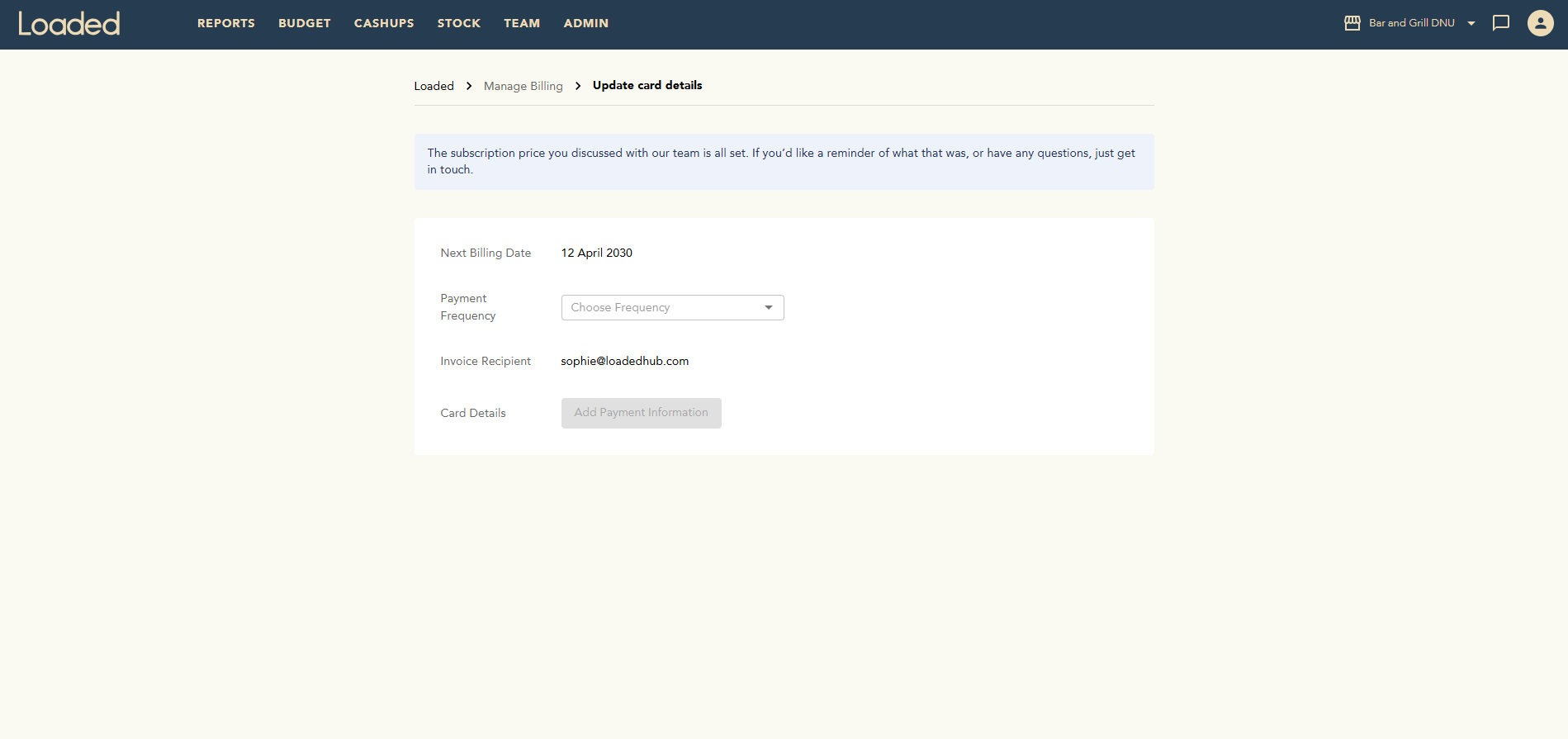
Click Add Payment Information
Enter your card details in the pop-up and click Update
If payment has gone through successfully you will get a message of confirmation
An invoice will be emailed to you and will be available at the bottom of the My billing page. You can click Download for a PDF version of any invoice.
View Subscription Invoices
Click the person icon in the top right corner of your screen
Select My billing
Don’t see ‘My billing’? You may not be the owner of the account. To check, click the person icon then Manage users and find the persons name that has the grey Owner icon tag
You will see all paid & pending invoices available here
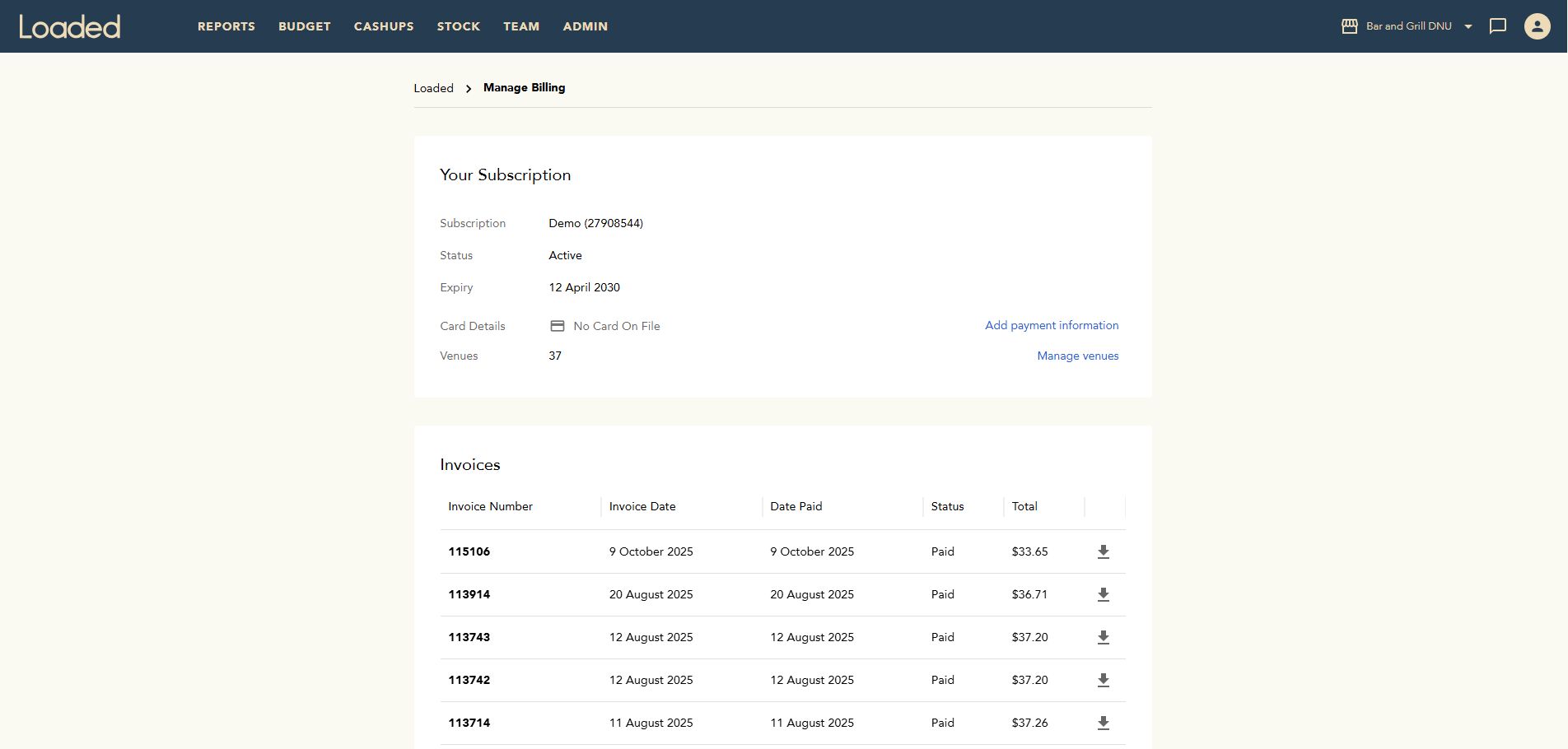
Click the download icon to access a PDF or printed copy of any invoices
What’s Next?
Add a New Company to your Existing Subscription
Transferring ownership of your Loaded account
Invite and Manage Users