
Each stock item in Loaded has two price fields
Forecast Price: This is the expected cost of a stock item, allowing you to forecast your COGS when an invoice or purchase order hasn't been received for this item. This can be manually updated.
Live Price: This is determined by the price of the Stock Item Variant from the most recent invoice or purchase order received. It cannot be manually updated.
If an item has neither a Live Price (no received invoice yet) nor a Forecast Price, the system displays no value (blank) instead of $0.00. This ensures clarity that no price has been set.
What are the differences between Forecast Price and Live Price?
| Forecast Price | Live Price | |
| Can I edit it? | Yes, it's editable | No, it's not editable |
| How is it calculated? | Based on the price you manually enter for this stock item. | Based on the latest price of the stock item variant received via AI Invoice Processing or Purchase Order. |
| History | There is only ever one Forecast Price for a stock item. There is no price history for Forecast pricing. | Loaded will use the latest invoice or purchase order based on the end date of the reporting period, so you can review actual pricing at any point in time. |
Where will I see and use Live Price and Forecast Price?
Stock Items: Stock > Manage > Stock Items
On the Stock Items Overview page: view the Forecast Price and Live Price for each stock item

On the pop up when you open a stock item: enter the Forecast Price and view the Live Price

Stock Item Sharing: On the Manage Stock Item modal for a shared stock item

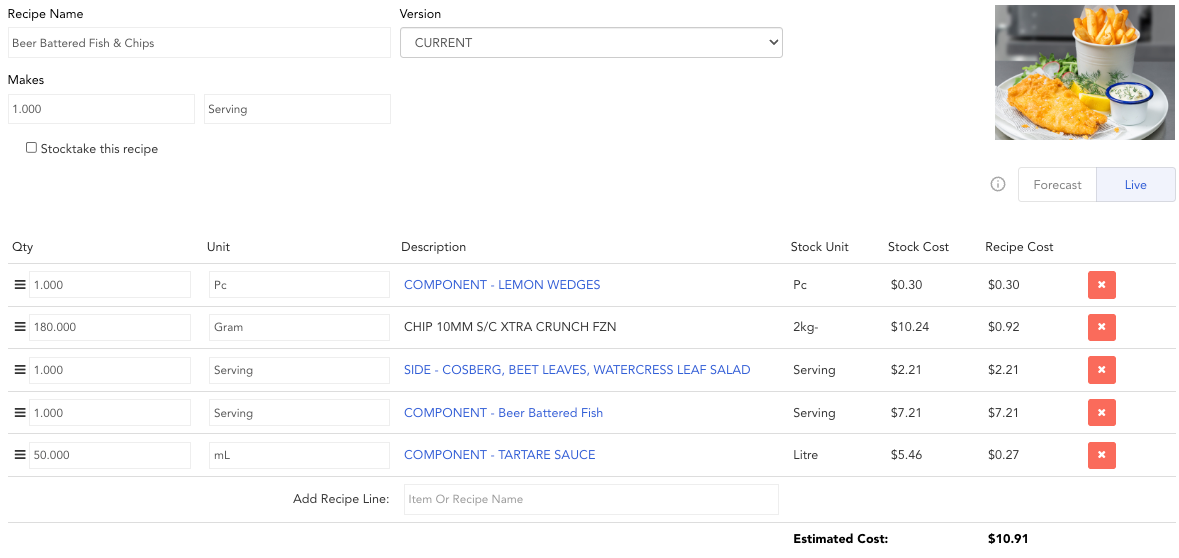
Recipes: Stock > Manage > Recipes — use a toggle to select if you want to view the recipe based on Forecast prices or Live prices.
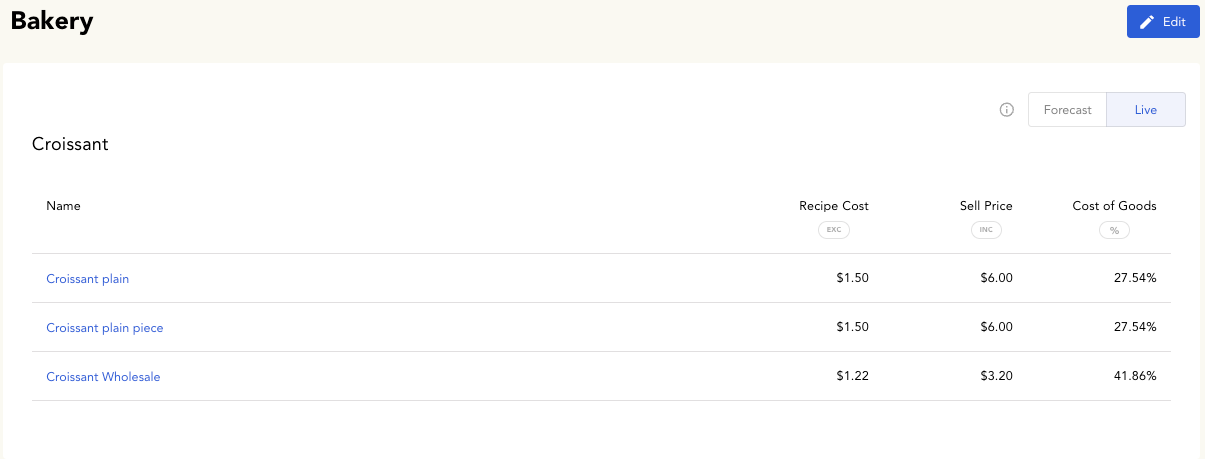
Menus: Stock > Manage > Menus (New) — use a toggle to select if you want to view the menu based on Forecast prices or Live prices.
COGs: Reports > Cost of Goods > Overview & Products — use a toggle to select if you want to view the COGs report based on Forecast prices or Live prices.
