
The products reports syncs the products, and item groups directly from your POS and the Item Groups shown will be determined by how these have been setup in your point of sale.
Item Groups are most commonly setup as food and beverage but it is quite possible your company will have more.
The products reports allow you to easily see which of your products and item groups your business is selling, in terms of both the quantity and value you are selling.
It shows the top item & top item groups for the selected period, in dollar figures and as a percentage of total sales.
Overview
Provides an overview of all items ordered and the highest selling products from each item group ordered from, and the quantity, dollar figure, percentage of sales and total dollars sold of each.
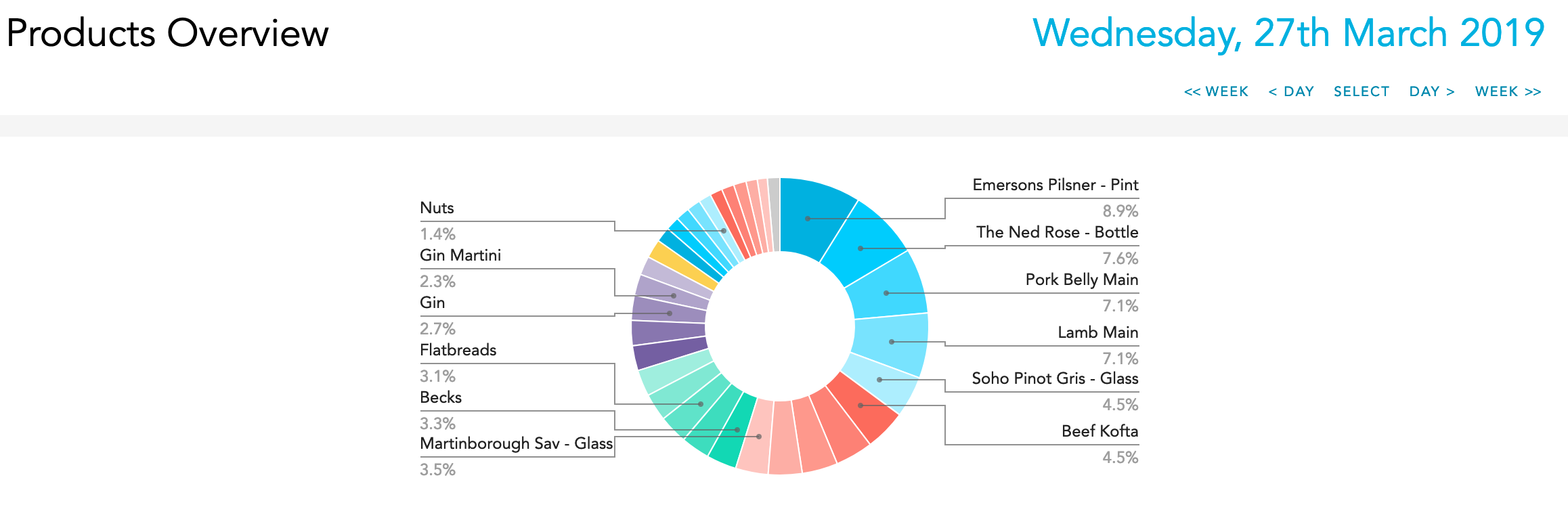
Products
The Products report lists all products sold ranked from highest percentage of sales to lowest.
Item Groups
The Item Group report list the total sales of Item Groups as per the setup in your POS system.
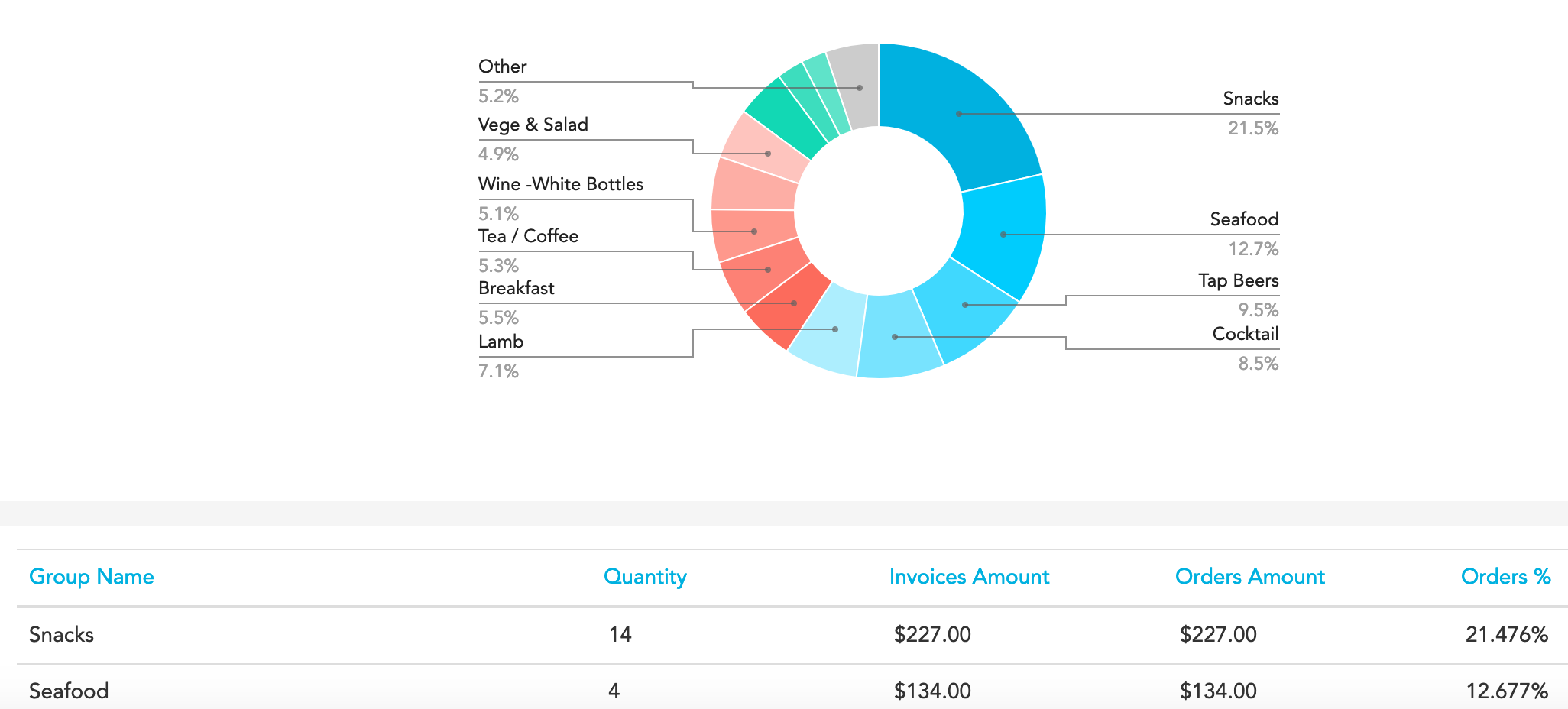
Specific Item Groups
The categories below Item Groups are the specific Item Groups that are setup in your POS. If you click on any of these Item Groups you will see a full report of the products that have been sold within this group ranked from highest percentage of sales to lowest.