
You need Time permission to export time clocks and Payroll permission to be able to view pay rates. If you don't have access to this module, ask someone with Manager's permission to update your user permissions.
You will need to have set up your Staff Members and enabled Pay Adjustment Packages in Loaded.
Before you export to Smartly you'll want to review your Time Clocks, read the Exporting timeclocks from Loaded article, and ensure you have followed the setup steps in Exporting timesheets to Smartly.
Correct Setup: Importing Timeclocks with New Zealand Public Holiday Adjustments to Smartly
Log into Smartly and click on Company Details> Pay Components
Click on Special Leave
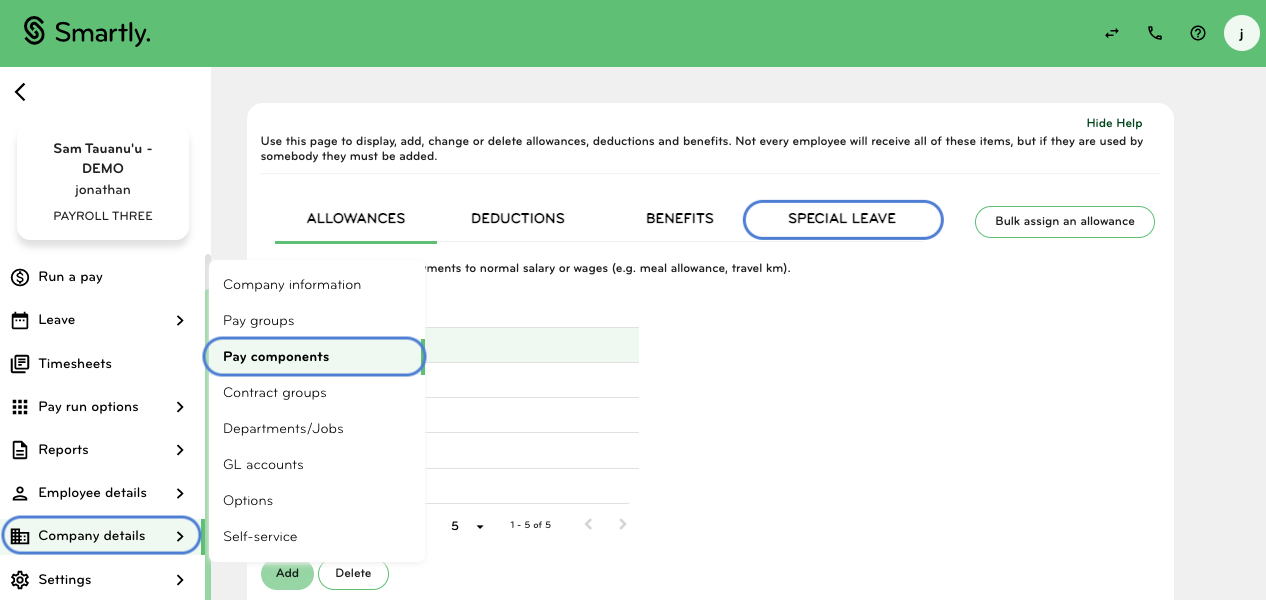
Click on Public Holiday Worked (1.5)
Under Code enter '15'
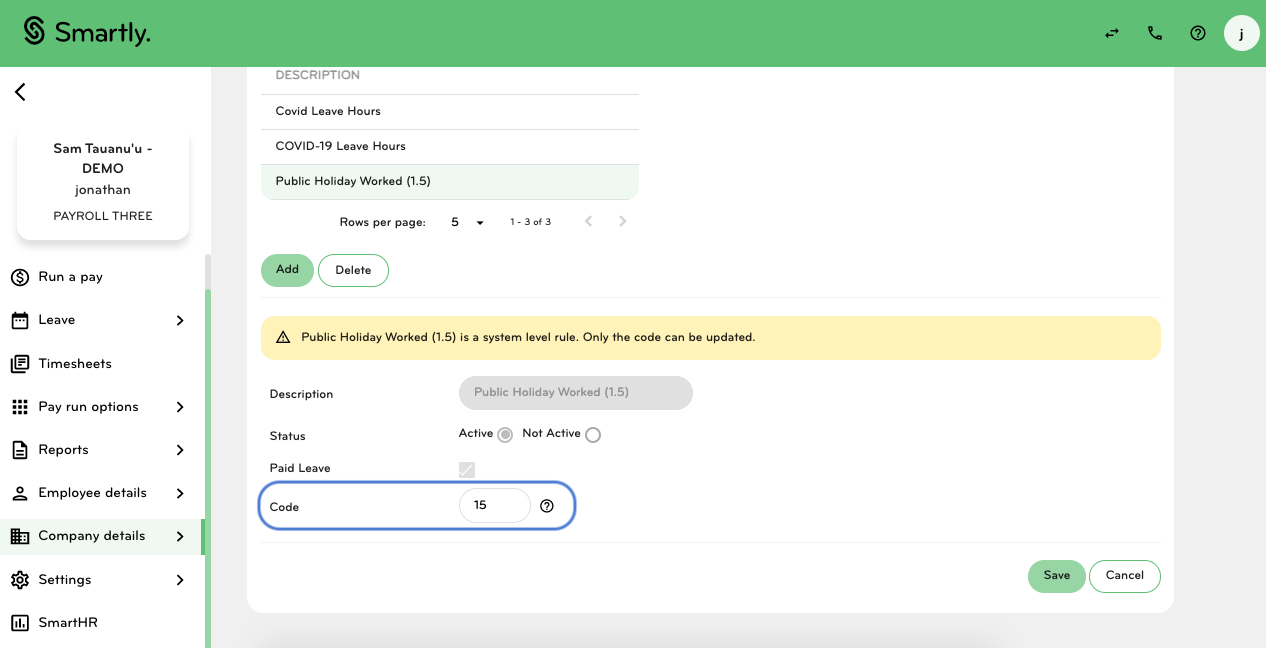
Click Save
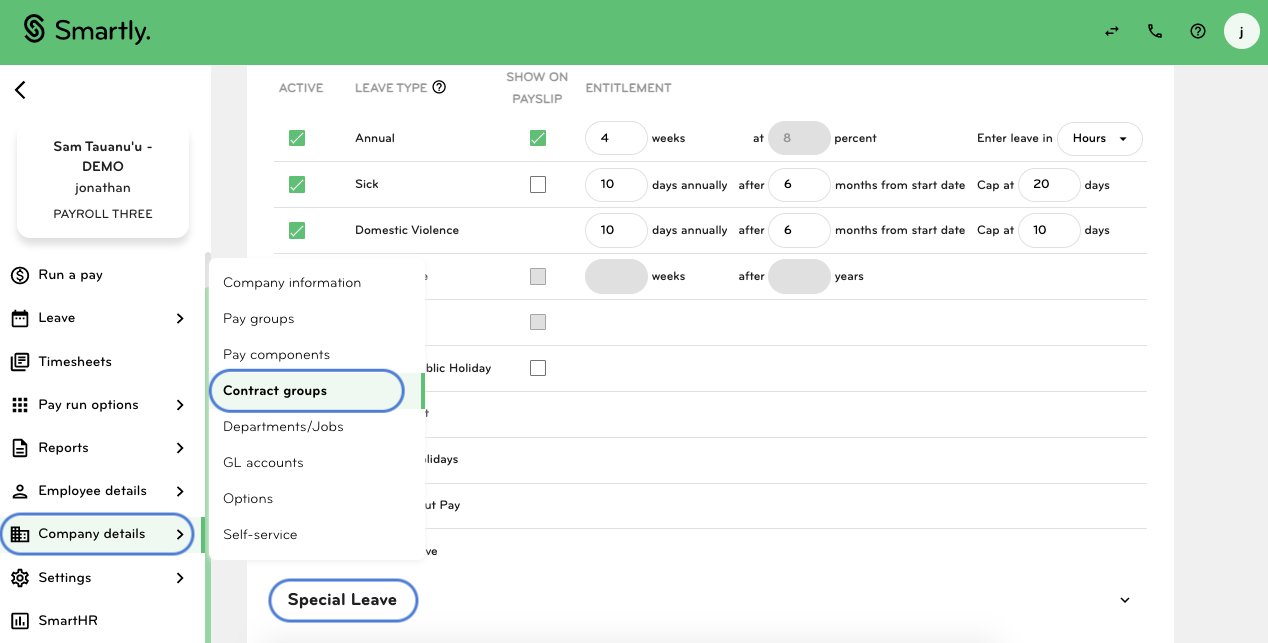
If you use Contract groups in Smartly, click on Contract Groups
Scroll down to Special Leave
Ensure Public Holiday Worked (1.5) is ticked under 'Active'
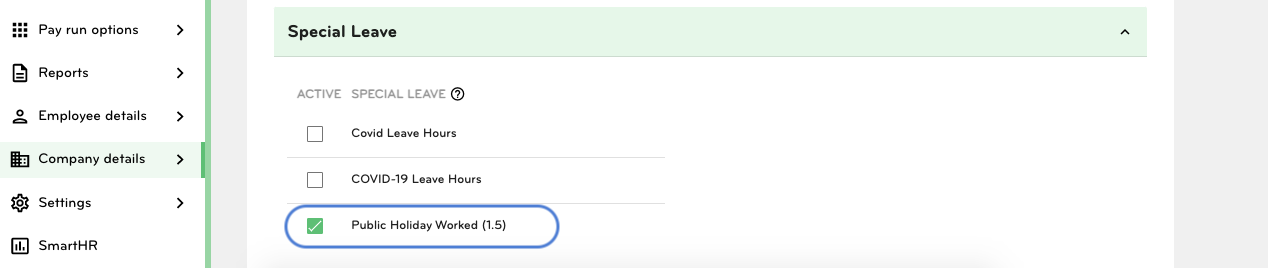
Click Save
Click on Employee Details> Employee List
Click on a relevant staff member from the list
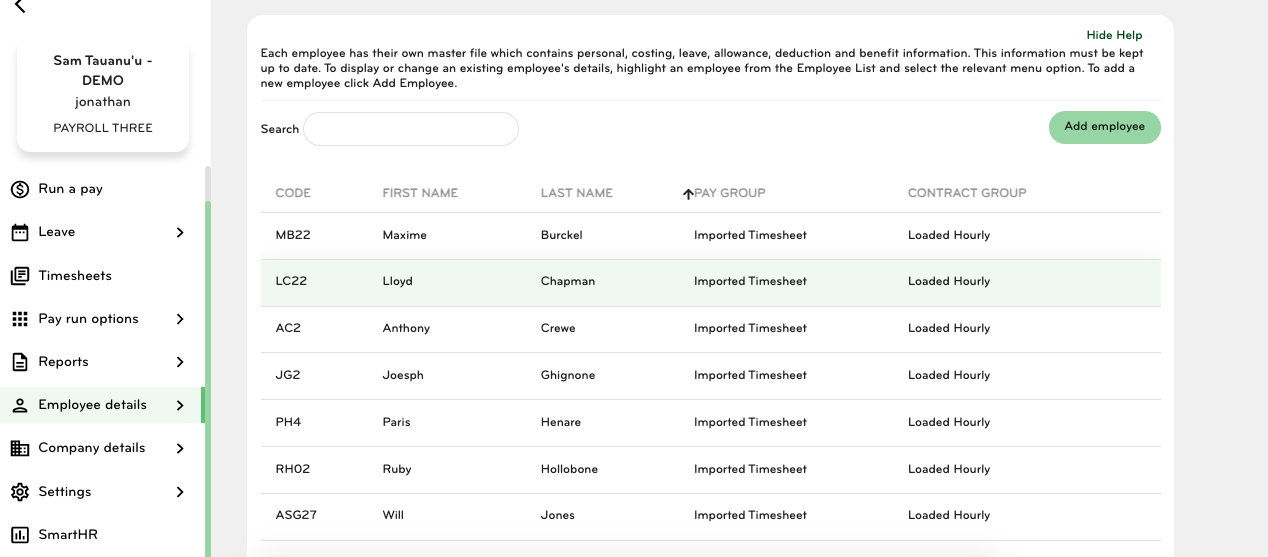
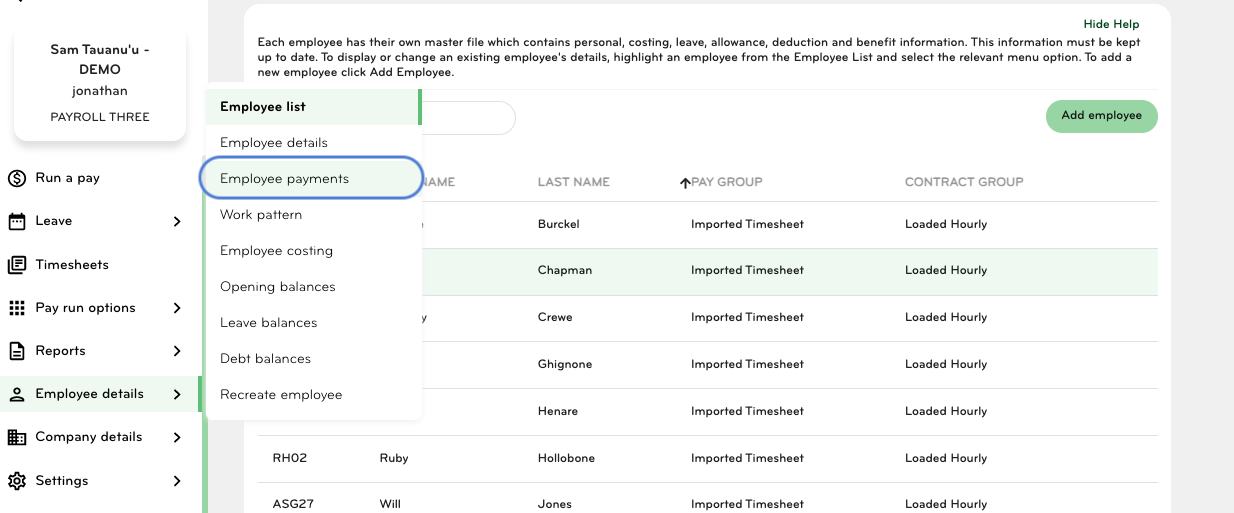
Click on Employee Payments
Scroll down and click on Special Leave
Make sure that Public Holiday Worked (1.5) is ticked under 'Active'
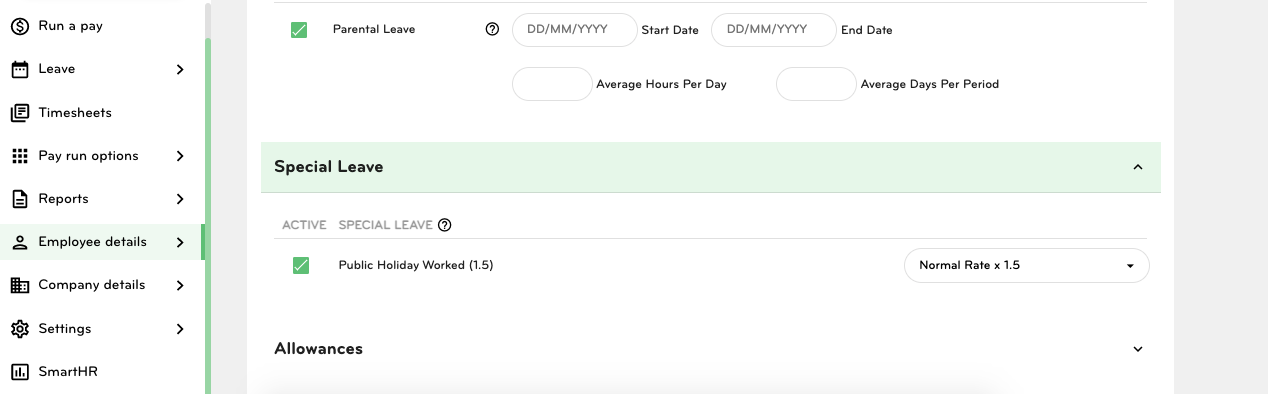
Click Save
You will need to repeat this process for all staff members whose timeclocks are imported into Smartly via Loaded.
Once this has been set up, you can follow the Export to Smartly steps, from there the Loaded generated payroll export will import correctly into Smartly with any relevant pay adjustments.