
You need Time permission to view and edit the roster and Payroll permission to be able to view pay rates. If you don't have access to this module, ask someone with Managers permission to update your user permissions.
You will first need to set up your staff roles and staff members before you could use the Roster in Loaded.
You can't start a shift in a roster before your daily cut-off time (7 am by default.) This can be updated in your company settings. If your daily cut-off time is 7 am you won't be able to have someone starting a 6 am shift for that day, you would need to change your cut-off time to 6 am.
To access, go to Time, Roster, then Edit Roster
Printing a Roster
You can print the roster by clicking Print in the top right-hand corner of the roster editor page. You'll have two options that create a printable PDF.
Print Roster by Staff will create a PDF with all staff in alphabetical order, listing all their shifts on a day-by-day basis.
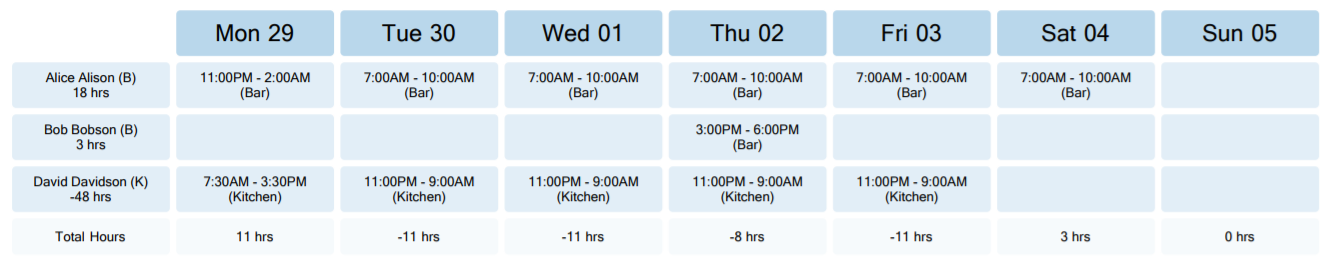
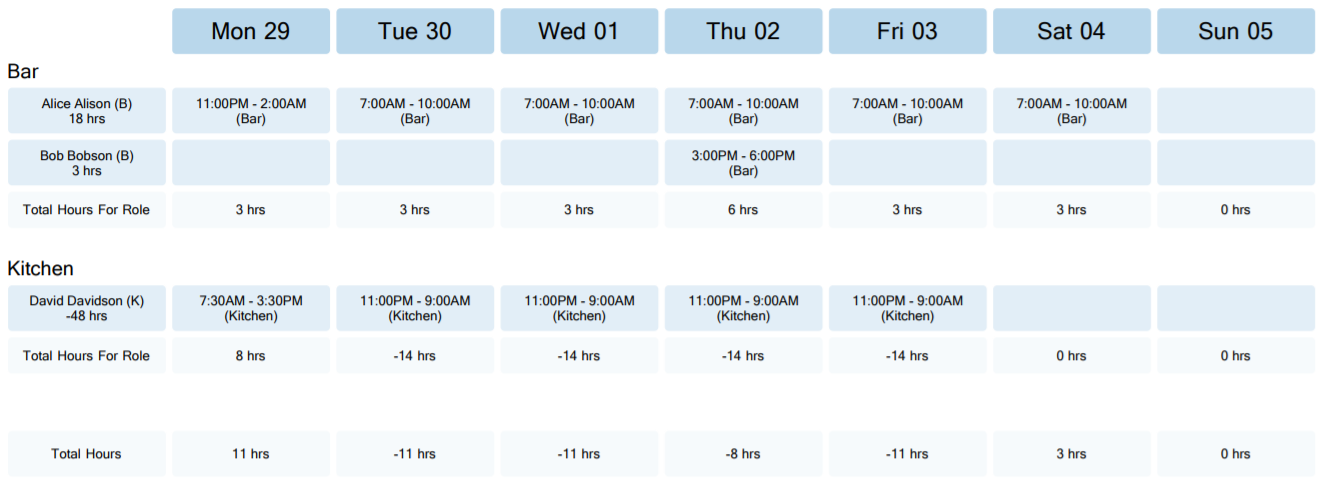
Print Roster by Role will create a PDF with each department broken down and shown separately. (See example below).
Sharing a Roster:
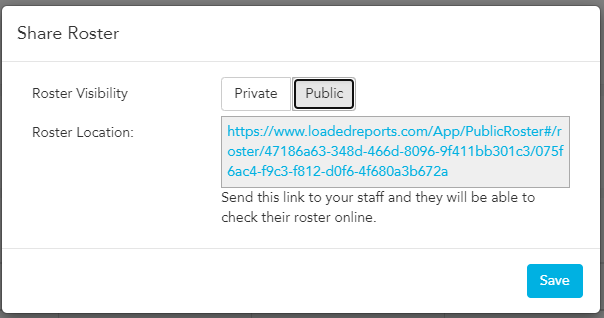
You can create a shareable link to send to your staff once you're finished with your roster, to do this click on Options>Share Roster
Selecting Public will create a link you can copy & paste into an email or other communication thread to your staff
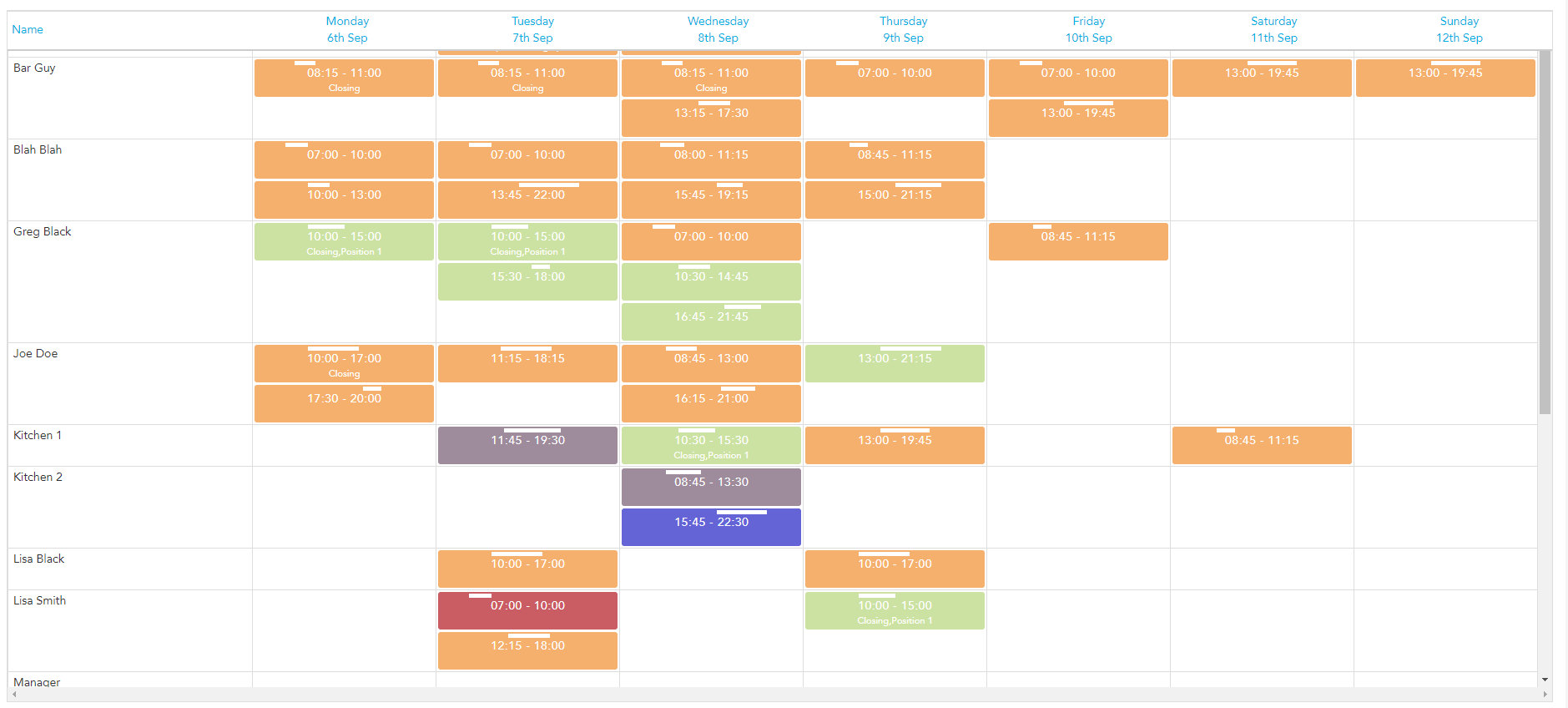
When your staff follows the link they will be able to see a view of the roster (like below). Please note, the staff can not edit any details or see pay rates or any other parts of Loaded.
*Please note that every time you switch between "Private" and "Public" modes of the roster, the link reloads and the old one becomes invalid. You can use this if you need to reset the access to the roster (ie, when someone leaves the team and you don't want them to have access to the roster).