You need Reports, Stock, Timeclock, Salary & Payroll permission to view Gross Profit reporting in Loaded. If you don't have access to this module, ask someone with the Manager's permission to update your user permissions.
Your data sync will need to be running and connected to the internet on your Point of Sale in order for information to show in this report.
You will need to be using the Timeclock feature, and ordering & receiving stock correctly in order for this report to be accurate.
If you'd like to customize the time frame of any of these reports, follow the steps here.
To access head to Reports, Gross Profit then Purchases.
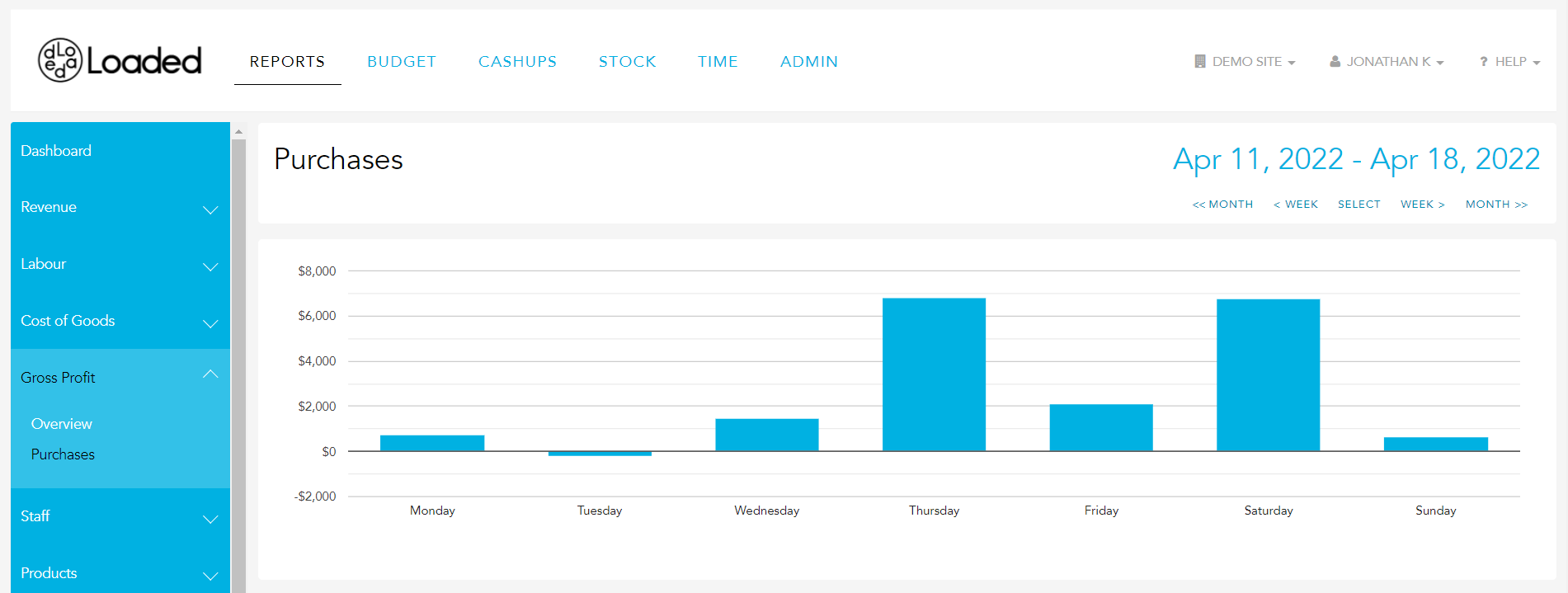
By default, this report will show information using sales from all categories
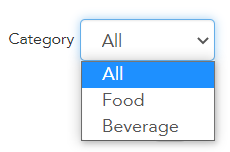
You can adjust this by clicking on the dropbox and selecting a specific category,
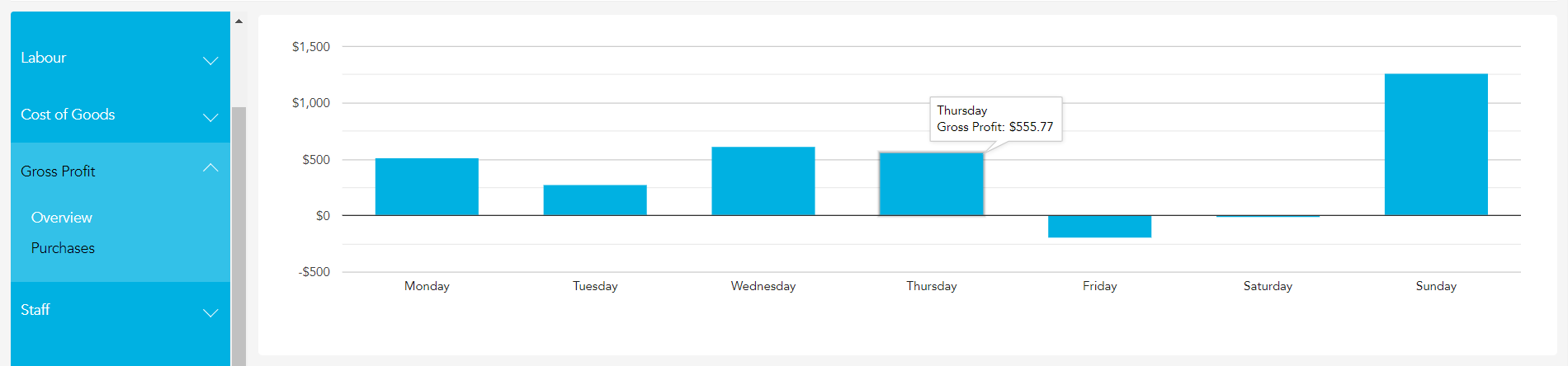
The graph along the top of the page shows your expected available Cashflow in dollar value for the selected category. You can hover over any point on the graph to see the exact value associated.
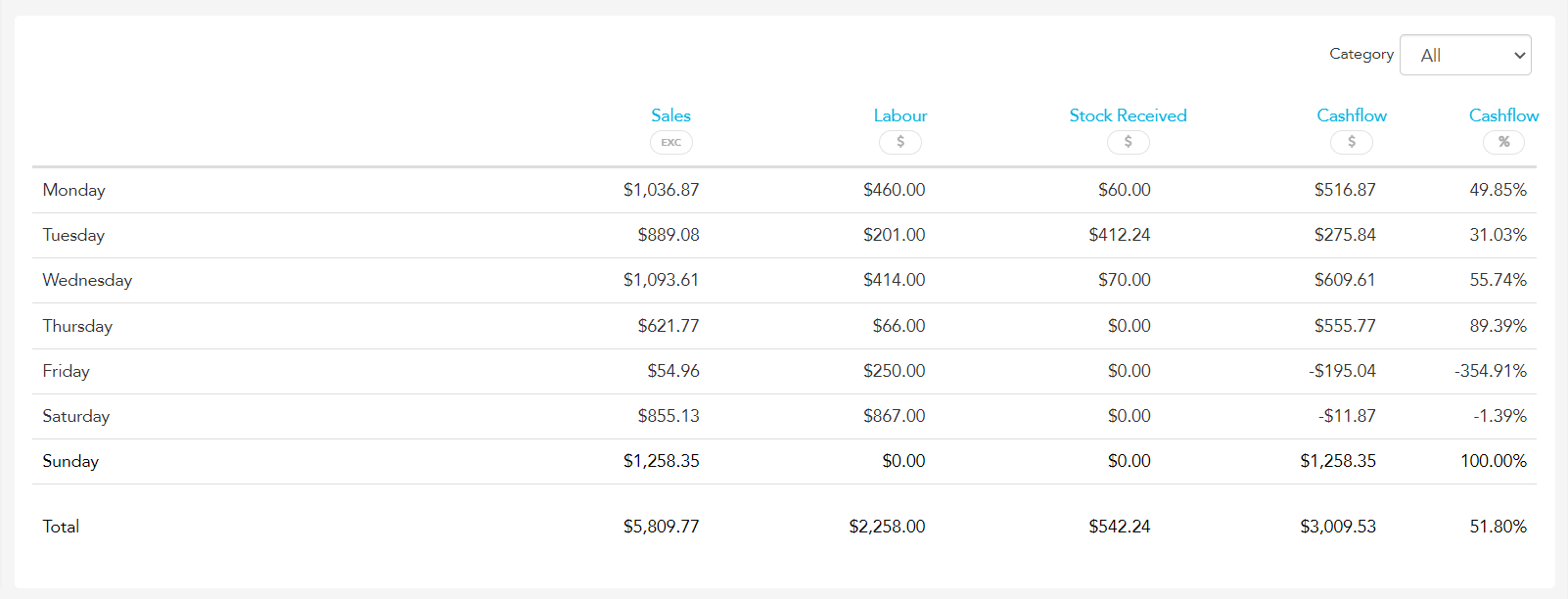
The report itself breaks down each day and shows the Sales value from your POS, the Labour value from your timeclocks, and the Stock Received value from your purchase orders and credit requests received across the reporting period.
We take this information to calculate your Cashflow - Sales - (Labour + Stock Received) in both dollar value and as a percentage of sales.
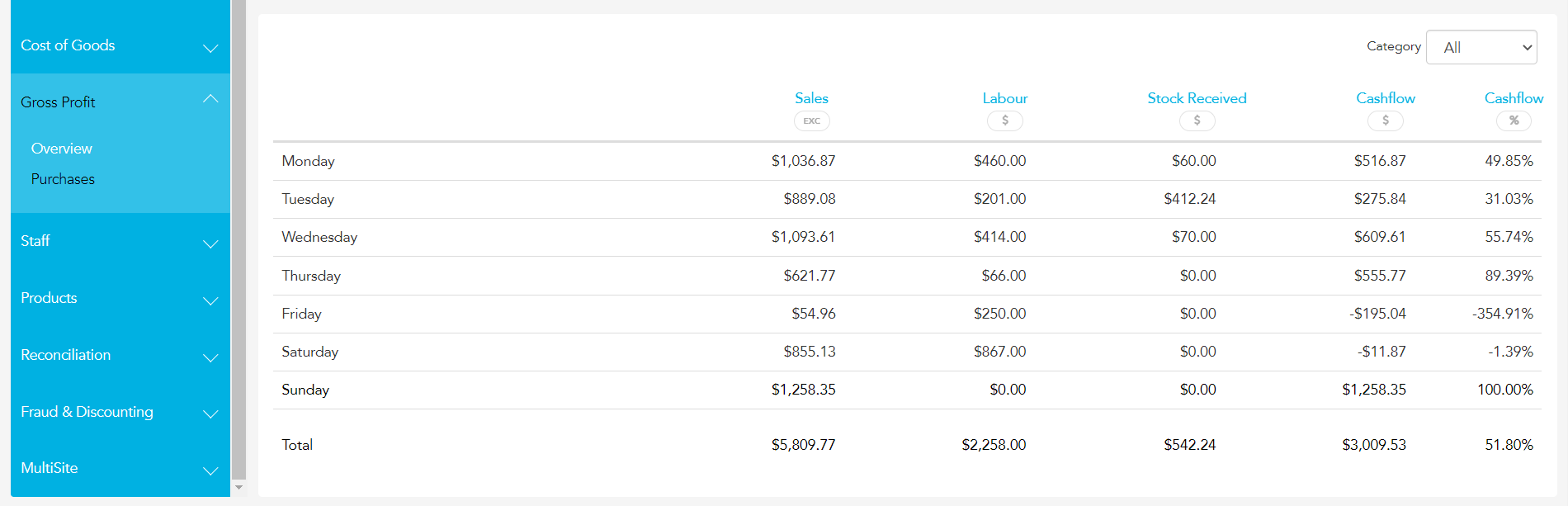
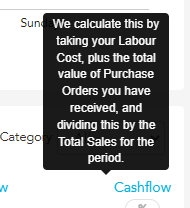
Please note, that we have included Tooltips here to provide an explanation of how we calculate these figures, hover over the header of the column to see a popup like the one pictured below.
At the very bottom of the report, you will see your totals for the selected period.