
You need Time permission to export time clocks and Payroll permission to be able to view pay rates. If you don't have access to this module, ask someone with Manager's permission to update your user permissions.
You will need to have set up your Staff Roles and Staff details correctly, and reviewed your Time Clocks in order to export accurately to your payroll system.
If this is the first time you have completed an import to your payroll system, please read the Exporting timeclock from Loaded article first.
Set up
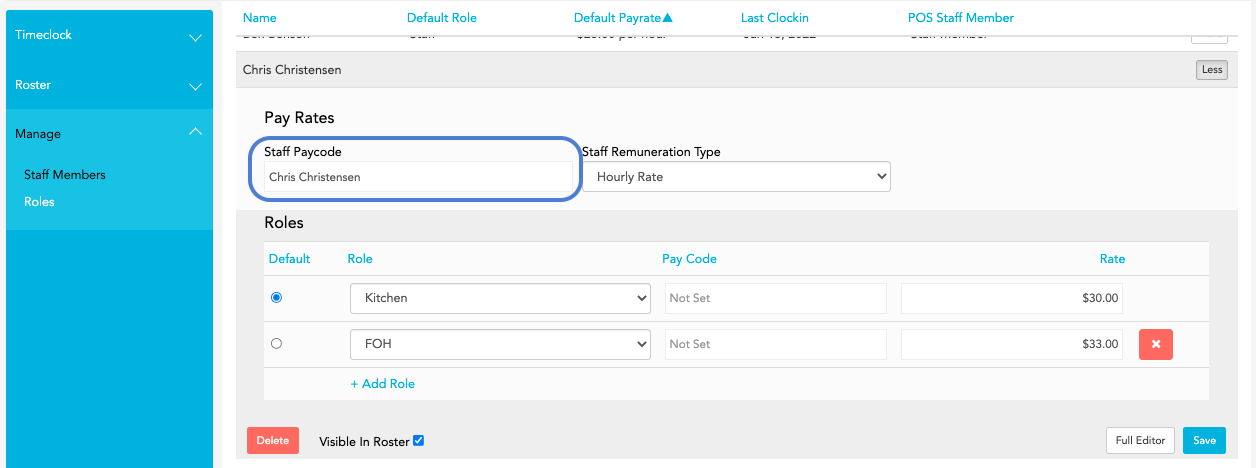
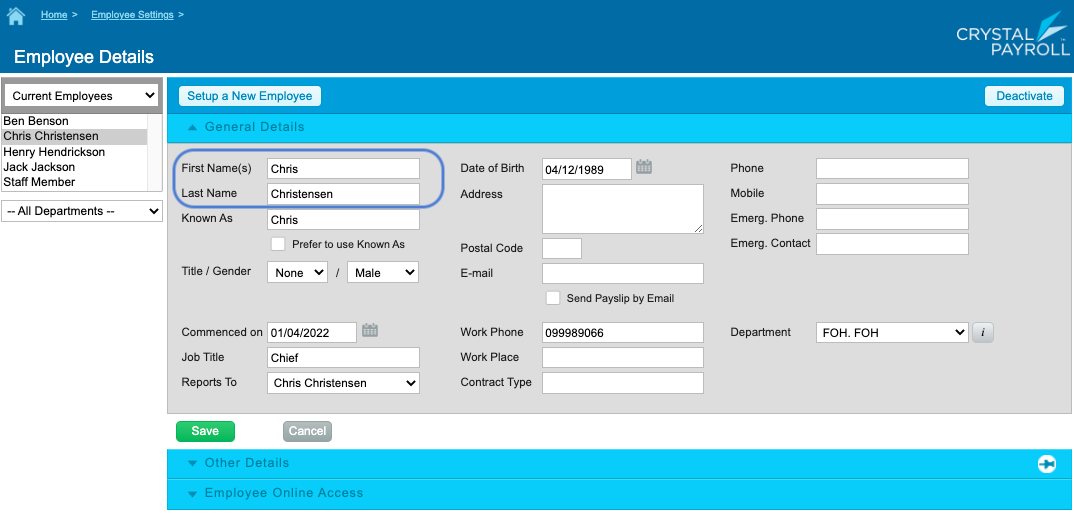
When setting up staff members in Loaded, ensure that the Staff Paycode in Loaded matches the Display Name of the Staff member in Crystal Payroll.
Loaded Staff editor
Crystal Payroll Employee Details Editor
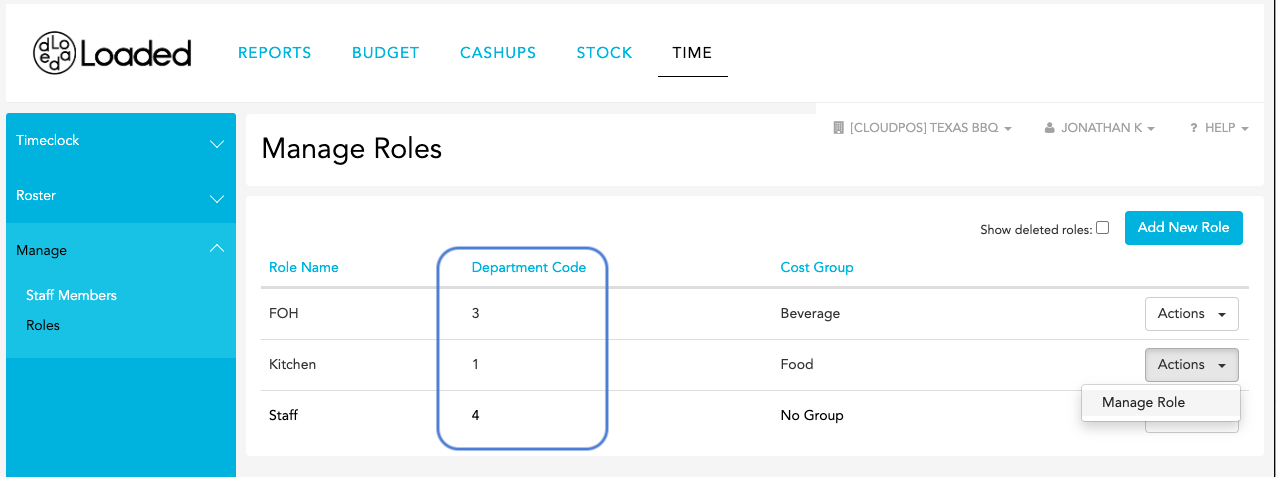
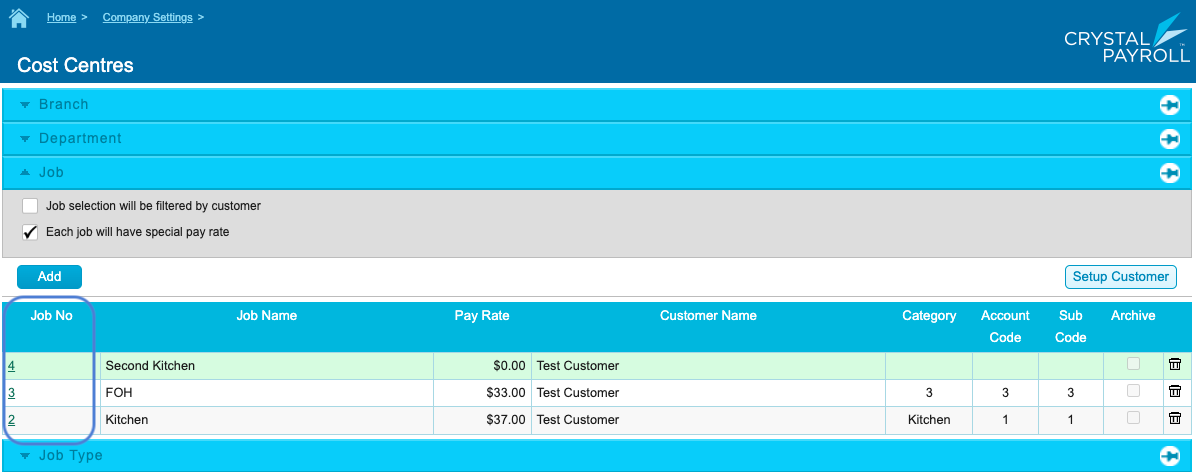
Ensure that the Department Code of your Roles in Loaded matches the Job No in Crystal Payroll. It can be accessed in Crystal by clicking Home > Company Settings > Cost Centres > Job
Roles in Loaded
Cost Centres page in Crystal Payroll
Importing to Crystal Payroll
Ensure you have successfully exported your timesheets from Loaded.
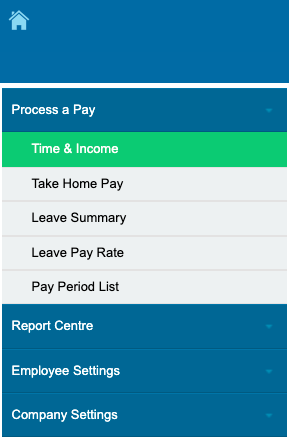
Go to Home > Process Pay > Time & Income in Crystal
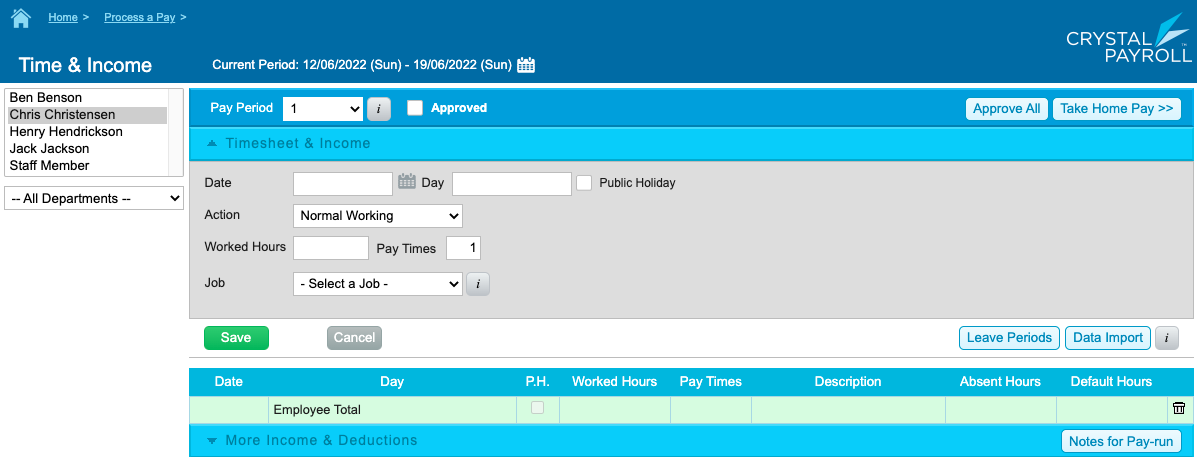
Click Data Import button on the right hand side then Choose file and pick a file you have exported from Loaded and click Import.
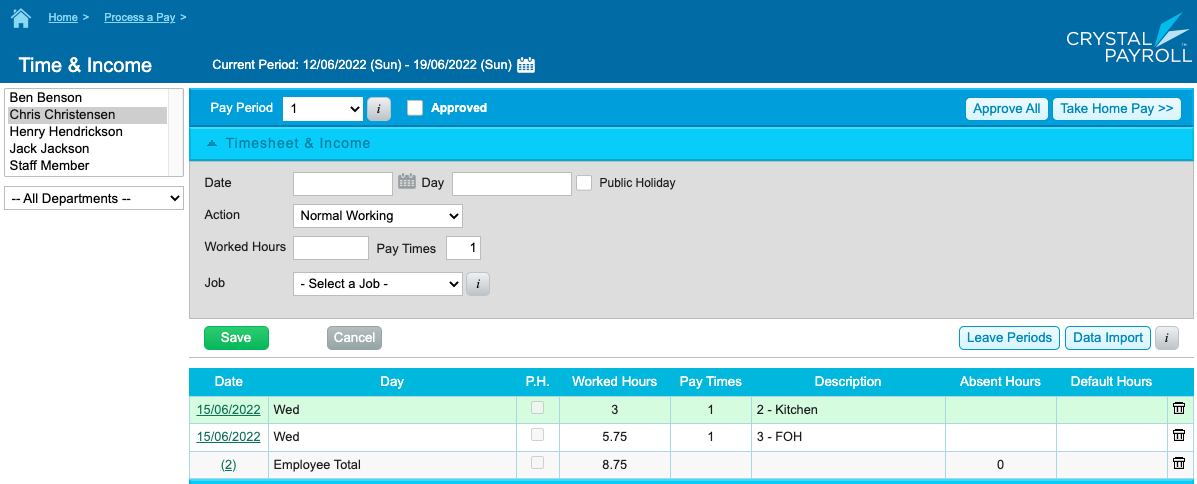
If the import was successful you will not see any notifications but will be able to click on each staff member to find the information you just imported.
After this you can process the pay as per the instructions in the Crystal knowledge base.
If the import doesn't succeed, it might be because there is something wrong with the Pay Code assigned to a staff member, or the Department Code assigned to its Role.
If you get an error notification or need further information, please visit the Crystal Payroll knowledge base.