
Loaded uses a consistent hierarchy to calculate the cost and hours worked for salaried team members, no matter how you track their time.
How it works
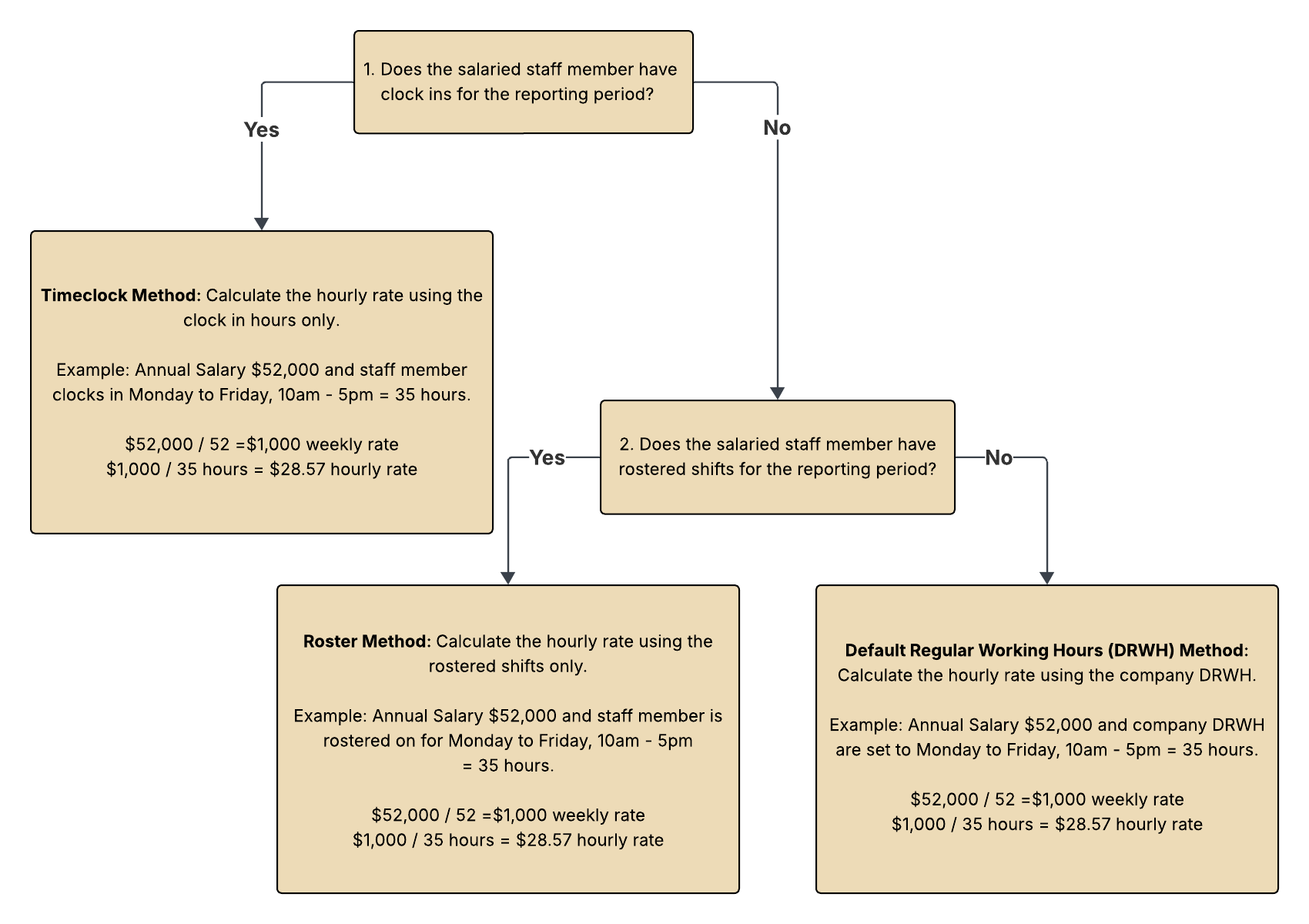
- Timeclock method: if the staff member clocks in, Loaded uses those actual hours to calculate the hourly rate and total pay.
- Roster method: if there's no clock-in but the staff member is rostered, Loaded uses the rostered shifts.
- Regular Working Hours (RWH) method: if there's no clock-in or rostered shift, Loaded uses your company's Regular Working Hours.
You can reduce a salaried staff member's RWH by the amount of leave they take to keep Labour costs and reports accurate.
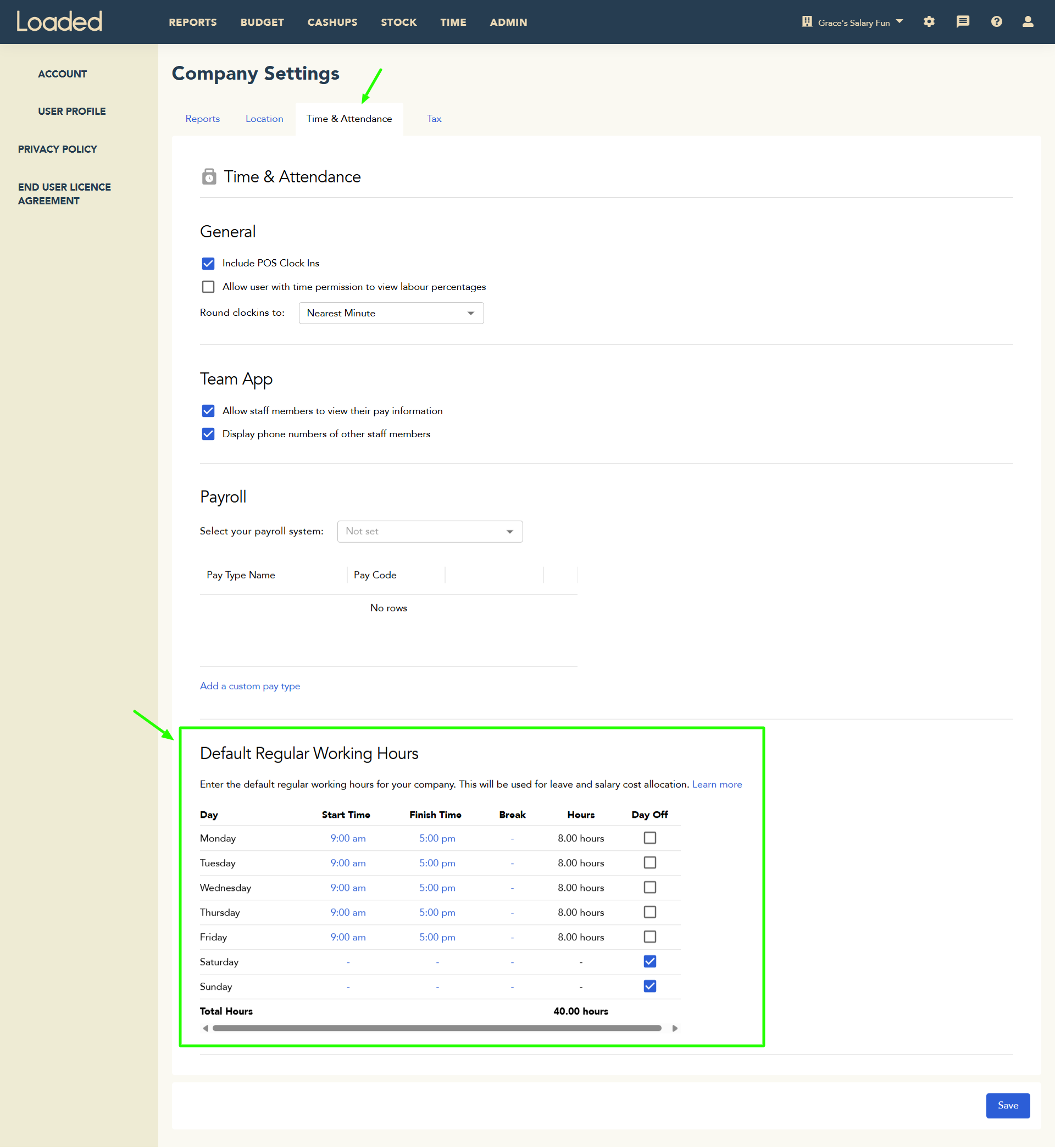
Go to Company Settings → Time & Attendance → Default Regular Working Hours to update your company's RWH.
What do I need to do?
- Nothing, if you don't have any salaried staff members
- If changing a staff member from hourly to salary, make the change effective at the start of a pay period for consistent reports
- If a salaried staff member doesn't get rostered or clock in, they'll still show on the Punches by Staff page, payroll export, and Labour reports based on RWH — set their salary to $0.00 or mark every day as a "day off" in their RWH if you don't want that
- If a salaried staff member is rostered and occasionally clocks in but you want a specific method used consistently, make sure they either always clock in (Timeclock method) or never clock in (Roster method)
How report periods affect the calculation
Past report
Loaded follows the Timeclocks → Roster → RWH hierarchy for the whole period.
Current report
The past portion of the period uses Timeclocks → Roster → RWH; the future portion uses Roster (if rostered) or RWH.
Future report
Uses Roster if rostered shifts exist, otherwise RWH.
How is cost calculated on the roster?
Annual Salary ÷ 52 = weekly cost. Hourly rate = weekly cost ÷ hours rostered (or RWH). By default, the roster editor uses your company's Regular Working Hours:

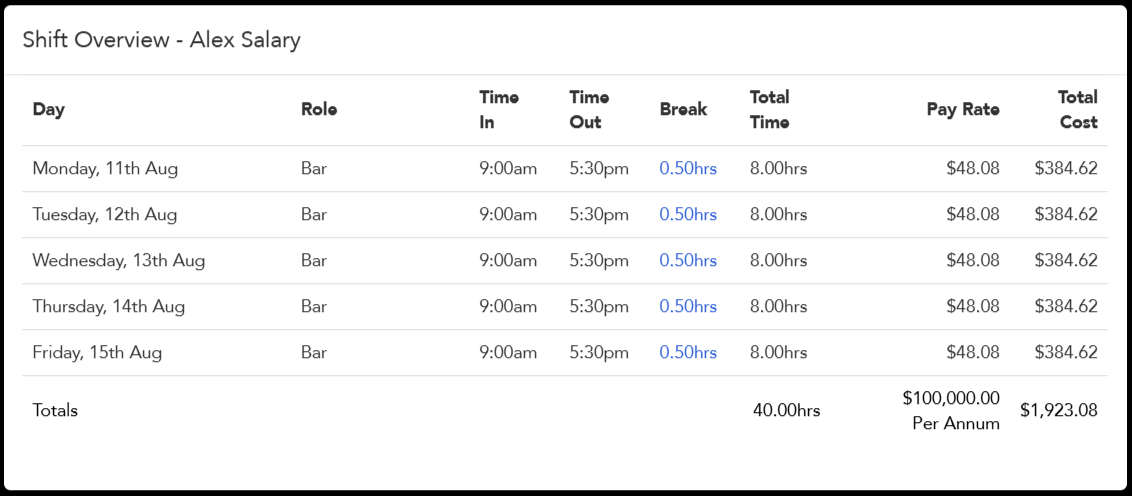
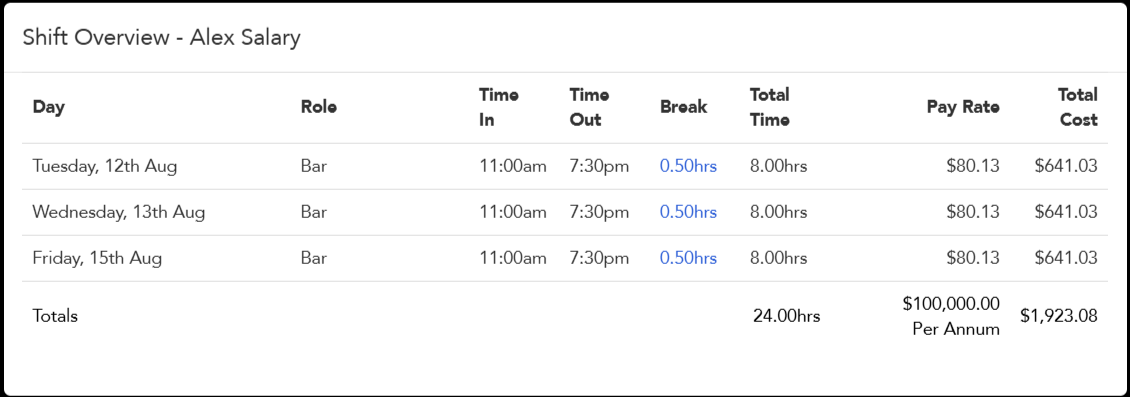
You can override RWH by adding an actual shift for the salaried staff member — their hours and cost will then be based on that shift.

What happens when I change a salary or hourly rate?
Changing a rate for a future date
Loaded calculates hourly rate and total pay using the new rate, as long as the roster or report period falls after it takes effect.
Changing a rate for a past date
If shifts or clock-ins already exist after the change date: unlocked rostered shifts and RWH on an unlocked roster use the new rate or salary; locked rostered shifts and RWH on a locked roster keep the old salary; clock-ins keep the old hourly rate but use the new salary if the staff member is salaried.
Changing a salary part-way through the week
Loaded prorates the old and new salary across the days each applied. Example: an original $52,000/year salary applies for 3 days ($142.47/day → $427.41), then a new $75,000/year salary applies for 4 days ($205.48/day → $821.92) — total for the week is $1,249.33, which annualises to roughly $65,145. Punches by Staff shows the prorated daily rate rather than the rate that was effective on that date.
Other scenarios
- Future salary change with a future roster: the roster uses whichever salary is effective on the roster dates
- Roster built from a template or copied from a previous roster created before a salary change: Loaded updates the pay to use the salary effective on the new roster's dates
- RWH changed mid-week: Loaded always uses the latest RWH, not the historical version
- Remuneration type changes mid-week (salary to hourly or vice versa): Loaded prorates the salary for the period on salary, then calculates the hourly period normally
- Staff rostered or clocked in on an RWH "day off": Loaded calculates pay from the actual clock-in or rostered shift regardless